wtf
gdox connects physical game discs, supported optical drives, and compatible software.
play reads only what the connected software requests. preservation writes to a user-selected file. neither path writes to the disc.
path
- identify the exact drive, firmware, and disc
- open the validated reader path
- prepare the system's read-only disc view
- map each requested byte range back to the physical disc
- close the session and restore temporary drive state
original xbox
gdox connects a supported dvd drive to xemu. when xemu requests part of the game, gdox reads that part directly from the disc.
the disc stays in the drive for the entire session. nothing is copied or installed first. the validated drive paths use an exact-profile reversible change in the drive's volatile state; they do not flash firmware or physically modify the reader.
analogy
think of the disc as a book with most of its page numbers hidden from a normal dvd drive. gdox makes the full page range available for the session. xemu asks for a page, gdox reads that page from the physical disc, and returns it. the whole book is never photocopied, and nothing is written in it.
visibility
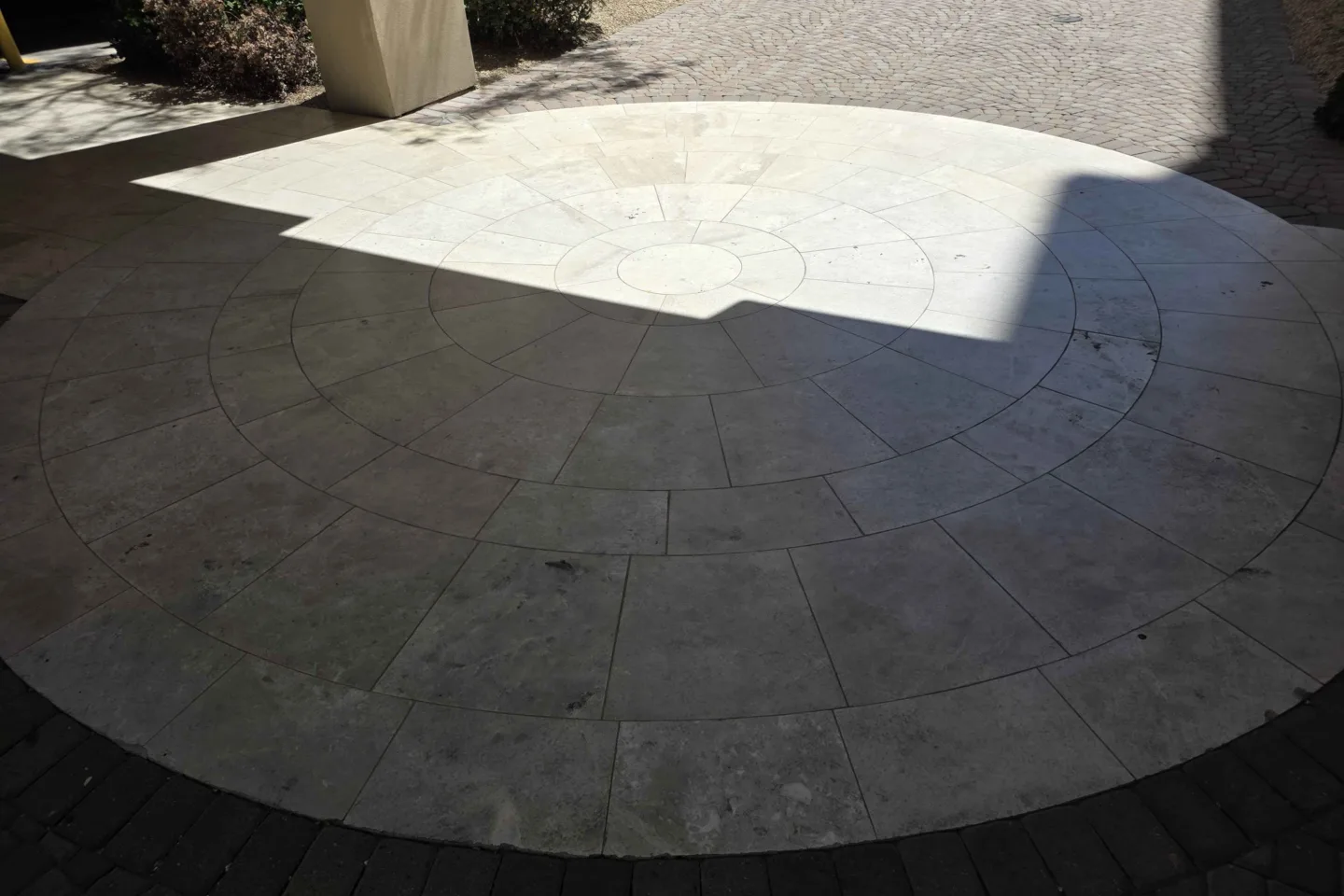
gdox lets the drive see the whole floor for the session. it then reads only the tiles xemu asks for. it does not copy or change the disc.
how it works
data path
desktop: xemu read → localhost NBD → compact virtual disc → SCSI sector read → optical drive.
android: xemu read → in-process block driver → compact virtual disc → SCSI sector read → optical drive.
drive interface
an optical drive is a block device. data is addressed as fixed-size logical sectors rather than files. gdox issues SCSI/MMC commands through the operating system's SCSI passthrough interface or through USB Mass Storage Bulk-Only Transport. reader backends hide those transport differences and provide the same random-access sector interface to the rest of the application.
code: scsi_transport.c, usb_bot_libusb.c.
disc layout
an original xbox disc contains more than the dvd-compatible area exposed by a normal drive. a supported reader backend makes the complete logical address space available, either through compatible reader firmware or a reversible change in volatile drive state. the operation is read-only: gdox does not write to the disc or flash the drive.
code: mt1887_source.c, gp08_source.c, and asus_nr09_source.c.
partition mapping
gdox finds and reads the game partition's XDVDFS filesystem, then builds a conventional compact disc layout in memory. directory sectors are generated for that virtual layout. file sectors are mapped back to their physical locations and read from the original disc when xemu requests them. files are not extracted. compatibility changes, when required, exist only in the virtual view.
read requests
gdox validates each byte range and resolves it to virtual metadata or physical file sectors. desktop file-sector requests go to the optical source directly. android combines nearby small requests through one forward-only 256 KiB memory window. that window is never written to storage and disappears when the session ends. there is no full-disc background reader or image fallback, so unused parts of the disc are never copied.
virtual dvd drive
the partition is exported by a small read-only fixed-newstyle Network Block Device server bound to localhost. xemu's QEMU core connects directly to that private NBD export and treats it as a dvd drive. NBD is used only as local block-device transport; no kernel NBD device, filesystem mount, or temporary disc image is created.
code: nbd_tcp.c.
shutdown
when xemu exits, the session ends, or the drive disconnects, the virtual disc closes and the reader backend restores any temporary drive state it still controls. tray eject is used only on mechanisms that support it safely.
preservation
a playable xiso rebuilds the game filesystem into a smaller image for emulators. full-disc mode writes the much larger accessible disc layout and keeps hashes, a manifest, logs, and drive evidence beside it. gdox reports security evidence and unreadable ranges separately: file size alone does not make an image redump-complete, and a stock reader cannot manufacture signed challenge data that the disc or drive did not return.
code: preserve.c.
software stack
- C17 for the core, reader backends, parser, virtual-disc mapper, preservation engine, and NBD server
- C++20 for the desktop app, with raylib, Dear ImGui, and rlImGui for the interface
- libusb, native macos USB transport, USB Bulk-Only Transport, and SCSI/MMC for drive communication
- XDVDFS for partition and title metadata
- a read-only loopback NBD export on desktop and an in-process QEMU block driver on android
- xemu/QEMU for xbox emulation
technical details
address spaces and read path
live playback uses three sector spaces. every sector is 2,048 bytes.
| space | sector zero | consumer |
|---|---|---|
| physical XGD | physical LBA 0 exposed by the optical drive | reader backend |
| partition-relative XDVDFS | the validated game-partition base | filesystem, patch, and compacting layers |
| compact XISO | sector 0 of the synthesized emulator view | xemu |
the source stack is physical source → partition source → patched source → compact-XISO source → random-access virtual disc. an emulator read is translated backward through that stack. generated metadata and alignment sectors are returned from memory; file data becomes a physical READ(12). playback does not create a complete game image.
exact-gated mt1887 targets
| product | revision | USB ID | status |
|---|---|---|---|
DVDRAM GP63EX70 |
RF02 |
0e8d:1887 |
linux / steam deck / macos / windows |
DVDRAM GP65NB60 |
PB00 |
0e8d:1887 |
windows 11 |
DVDRAM SP80NB80 |
RF02 |
0e8d:1887 |
experimental: identity + stock register map confirmed / Ubuntu; activation, play, and restoration pending |
all three targets report vendor HL-DT-ST and use a MediaTek MT1887 controller. matching the enclosure, product family, controller family, or shared USB ID alone is insufficient. INQUIRY must return all three exact identity strings before gdox selects an XDATA profile.
other verified targets
| product | revision | USB ID | physical validation |
|---|---|---|---|
DVDRAM GP08NU10 |
JE01 |
152e:2507 |
activation + xbox-sector read / community |
ASUS SDRW-08D1S-U |
A202 |
13fd:1640 |
live play + restore / windows 11 |
the drive receives SCSI/MMC commands through libusb USB Mass Storage Bulk-Only Transport on Linux, a UsbManager-authorized file descriptor wrapped by libusb on android, SCSI pass-through through the optical class driver on windows, or IOKit SCSI task transport on macos. each adapter terminates at the same bounded random-access sector-source interface.
stock disc view
READ CAPACITY(10) initially reports last LBA 6991 and block size 2048: 6,992 sectors, or 14,319,616 bytes. the common XGD1 game-partition base is physical LBA 198144, outside that reported range.
READ DVD STRUCTURE opcode 0xAD, format 0x00, returns a four-byte header followed by PFI. complete-response bytes 17..19 are the PFI layer-zero endpoint. initialization requires the stock value 03 1A AF before any XDATA write.
volatile MT1887 state
MT1887 vendor opcode 0xF1 provides XDATA access. a read uses subcommand 0x02, a big-endian 16-bit address in CDB bytes 4..5, data-in length four, and returns the value in response byte 3. a write uses subcommand 0x01, the same address fields, the value in CDB byte 9, and no data phase.
the GP63 RF02 profile changes these six bytes in volatile controller XDATA:
| field | address | stock | XGD |
|---|---|---|---|
| capacity | 0x8538 |
03 |
3D |
| capacity | 0x8539 |
1B |
4D |
| capacity | 0x853A |
4F |
4F |
| layer geometry | 0x8BE2 |
03 |
20 |
| layer geometry | 0x8BE3 |
1A |
33 |
| layer geometry | 0x8BE4 |
AF |
AF |
the GP65 PB00 profile uses capacity address 0x8A37 with the same stock and XGD triplets and geometry address 0x8BE2 with the same stock and XGD triplets. it also requires auxiliary address 0x8538 to contain 64 00 64. that auxiliary field is not PB00 capacity and is never activated with GP63 values.
the exact SP80 RF02 profile uses the GP63 capacity and geometry addresses for XGD1 only. remote read-only testing confirmed stock values 03 1B 4F and 03 1A AF; mutation, active-state reads, and restoration remain pending physical testing.
the capacity values satisfy 0x031B4F - 0x30000 = 6991 in stock state and 0x3D4D4F - 0x30000 = 3820879 in XGD state. after the write, gdox requires READ CAPACITY(10) to report last LBA 3820879, 3,820,880 sectors, 2,048 bytes per sector, and 7,825,162,240 total bytes.
these writes target controller working memory, not the disc or firmware flash. normal shutdown restores them; removing drive power clears them independently.
ASUS A202 volatile state
the ASUS profile requires USB 13fd:1640 with SCSI identity ASUS SDRW-08D1S-U A202. vendor command 0xF1 reads and writes four-byte volatile fields. initialization verifies eight mutable fields, two neighboring fixed fields, the stock PFI, and last LBA 6991 before changing anything.
activation writes the seven geometry fields first and the capacity field last, then reads the complete state back. restoration writes capacity first, restores the other fields, and verifies the complete stock state. the active last LBA is 3820879. the adapter uses at most 32 sectors per READ(10) and never sends load or eject commands to the manual-close tray.
the complete field map and transaction are documented in ASUS_NR09.md.
fail-closed MT1887 activation
- open the platform transport and issue
INQUIRY - require vendor
HL-DT-STand one complete supported product/revision/USB identity - wait for
TEST UNIT READY - read PFI and require
03 1A AFat complete-response bytes17..19 - retain the 2,048-byte PFI payload and attempt to retain the DMI payload from format
0x04 - read the profile's capacity, geometry, and optional auxiliary XDATA triplets
- require every byte to equal an exact profile-allowed value
- restore and verify stock state if the fields form a known partial transition
- write the complete XGD capacity and geometry values
- read both triplets back and require an exact XGD match
- issue
READ CAPACITY(10)and require 3,820,880 × 2,048 bytes - optionally issue
SET CD SPEED; rejection of this command is non-fatal - read physical LBA
198176and require the leadingMICROSOFT*XBOX*MEDIAmarker
a byte outside the known stock/XGD pairs causes immediate refusal. gdox does not infer a repair for an unknown SRAM state. an initialization failure after mutation enters the stock-restoration path before the transport is closed.
restoration and read recovery
normal close writes stock geometry, then stock capacity, then any profile-defined auxiliary field; it reads all fields back and requires last LBA 6991 with 2,048-byte blocks. if the first restoration attempt fails, two further attempts reset the transport and wait 100 ms then 200 ms. failure after all three attempts is returned explicitly and requires a drive power cycle.
each failing source read has a fixed 20-second recovery budget in addition to its configured retry count. recovery can reset the transport, request sense, issue START STOP UNIT, wait for readiness, verify or reapply the XGD state, reapply the requested speed, and retry. cancellation and removal terminate recovery. if a multi-sector request still fails, gdox retries individual sectors to report the first unreadable physical LBA.
physical reads
MT1887 data reads use READ(12), opcode 0xA8. GP63 source requests use at most 128 blocks per command. GP65 PB00 requests on windows use at most the physically validated 32 blocks, or 64 KiB. GP08 and ASUS A202 requests use READ(10) with the same 32-block maximum. each command has a 30-second timeout. source-level bounds checks reject zero-length, overflowing, undersized-buffer, and out-of-range requests before transport I/O.
the backend separately counts successful physical commands, sectors, bytes, and the final LBA of the last successful command. virtual-disc read counts do not replace those physical counters.
XDVDFS validation
the drive-specific gate checks the expected descriptor at physical 198144 + 32. the general parser validates the 20-byte marker at descriptor offsets 0x000 and 0x7EC, then reads the root-directory sector at 0x014, root-directory byte length at 0x018, and filesystem timestamp at 0x01C. the validated partition base is descriptor LBA - 32; later layers use that discovered base.
XDVDFS directories are binary trees encoded through left and right child offsets. traversal bounds entry offsets, table extents, file extents, names, recursion, allocation, and repeated references. current hard limits include 64 MiB per directory table, 64 MiB per inspected XBE, depth 64, 16,384 directories, and 262,144 entries. cycles, duplicate directory extents, truncated entries, and extents outside the source are rejected.
partition and patch wrappers
the partition wrapper exposes the game partition at relative sector zero:
physical LBA = validated partition base + partition-relative LBA
for the common XGD1 layout, this is physical LBA = 198144 + partition-relative LBA.
the patch wrapper first reads unchanged sectors from its inner source, then overlays registered byte substitutions intersecting the returned range. it has no write operation and does not alter its inner source.
XBE compatibility overlay
the scanner walks validated XDVDFS metadata, selects .xbe files within the size limit, requires the XBEH signature, and searches for the exact eight-byte sequence E8 CA FD FF FF 85 C0 7D. every exact match registers one partition-relative substitution: final byte 7D → EB. this changes the short conditional jump to a short unconditional jump while retaining its existing displacement.
the substitution is applied only when a later read overlaps that byte. the physical disc, drive state, source XBE, generated directory metadata, and any persistent image remain unchanged. an XBE without the exact signature receives no substitution.
compact virtual XISO
the compact builder reserves the header through virtual sector 32 and generates a new XDVDFS descriptor containing both markers, the relocated root-directory sector and size, and the original filesystem timestamp. it traverses every validated directory table, copies its tree and name bytes, rewrites extent sector fields, and stores the rewritten table as a memory segment.
ordinary file payloads are represented by mapping records containing the compact output sector, sector count, original partition-relative source sector, and meaningful byte count. the final virtual disc contains three segment kinds:
- memory: generated descriptor or rewritten directory table
- file: on-demand reads from an original file extent through the patched source
- zero: alignment or empty-file space
the output is aligned to 32 sectors. the builder sorts all segments and requires a contiguous address space with no gap, overlap, length overflow, or unexpected final sector.
emulator read resolution
- xemu requests a byte range from its DVD backend
- desktop NBD or the android block driver converts it to a compact-XISO offset
- the compact source performs a segment lookup
- a memory segment returns generated bytes; a zero segment returns zeroes
- a file segment maps the virtual offset to the original partition-relative file extent
- the patched wrapper requests the original sectors from the partition wrapper
- the partition wrapper adds the validated physical base LBA
- the optical source issues one or more bounded
READ(12)commands - registered XBE substitutions are overlaid in the returned buffer
- the requested byte range returns to xemu
reads are random access. no preceding sector of the file, partition, or physical disc must have been read. desktop playback has no persistent game-sector cache, background full-disc reader, temporary ISO, or image fallback. android can combine nearby forward reads in one 256 KiB RAM window; that window is not stored and ends with the session.
desktop NBD export
desktop builds expose the virtual disc through a userspace fixed-newstyle NBD server. it binds IPv4 loopback 127.0.0.1 on an operating-system-assigned port and uses 16 random bytes encoded as a 32-character export name. xemu receives nbd://127.0.0.1:PORT/PRIVATE_TOKEN; user-facing output redacts the token.
negotiation advertises a minimum block size of one byte, preferred size 64 KiB, maximum size 32 MiB, and read-only export flags. each read is range-checked against the virtual-disc length. invalid ranges return NBD_EINVAL; source failures return NBD_EIO. write payloads are consumed to preserve protocol framing and rejected with NBD_EPERM. the source abstraction itself also exposes no write operation. no kernel NBD device or filesystem mount is created.
android passes the same compact virtual-disc object directly to an in-process QEMU block driver and does not start NBD.
playback and preservation outputs
| output | contents | claim boundary |
|---|---|---|
| live compact XISO | generated XDVDFS metadata, mapped file payloads, optional RAM-only XBE substitutions | emulator view; not a physical-disc dump |
| compact XISO file | materialized compact filesystem view | playable image; mastering layout removed |
| full-disc candidate | 3,820,880 physical-address-space sectors plus available evidence and sidecars | not security-sector-complete unless authenticated SS evidence exists |
the MT1887 backend captures PFI and attempts DMI with READ DVD STRUCTURE. it does not expose decrypted Xbox security-sector evidence. a 7,825,162,240-byte read is therefore not, by size alone, an SS-complete archival result.
preservation writes to a .part output and hashes the bytes while writing. when verification is enabled, it syncs and closes that file, rereads and hashes the complete partial output, requires both hash sets to match, then commits the partial path to the requested output path. unreadable ranges are recorded. sidecars can include a manifest, log, CRC32, MD5, SHA-1, SHA-256, PFI, DMI, security evidence when present, and format-specific maps. the manifest records full-length, readback, filesystem-inventory, canonical-hash, SS-present, and SS-authenticated claims separately.
mutation boundary
- changed in the drive: exact-profile capacity and geometry bytes in volatile MT1887 XDATA for the active session; PB00 recovery may also restore a known legacy auxiliary state
- changed in gdox: generated compact metadata, extent mappings, and optional returned-byte substitutions
- unchanged: disc contents, drive flash, host kernel, xemu source, source XBE bytes, and the physical mastering layout
implementation map
- mt1887_source.c: identity, PFI/DMI, XDATA transition,
READ(12), recovery, restoration - xdvdfs.c: descriptor discovery, bounded directory traversal, title metadata, XBE scan
- source.c: partition-relative and byte-patched source wrappers
- compact.c: compact-XISO layout and segment resolution
- live.c: live source composition
- nbd_tcp.c: private read-only desktop export
- gdox_qemu_disc.c: in-process android block driver and volatile read-ahead
- preserve.c: acquisition, unreadable ranges, finalization, readback, and hashes
references
these references explain why an xbox disc is not just a normal dvd with a different folder name. some are living community notes and some are historical reverse-engineering documents, so treat uncertain fields and old assumptions as exactly that.
- xbox game disc — xboxdevwiki physical layout, manufacturing data, format information, security sectors, and challenge records.
- xdvdfs — xboxdevwiki the game filesystem, volume descriptor, directory entries, mastering generations, padding, and security blocks.
- disc images — xemu the practical difference between a playable xiso and a full redump image, plus the formats xemu accepts.
- disc dumping guide — redump.info the preservation community's current drive, dumping, repeat-verification, metadata, and submission workflow.
- xbox dvd filesystem details — xbox-linux an early reverse-engineering document covering sector addressing, the volume descriptor, and the directory tree.
- xbfuse — xbox-linux a historical read-only FUSE implementation for browsing XDVDFS images, with source and notes about ordinary-drive limitations.